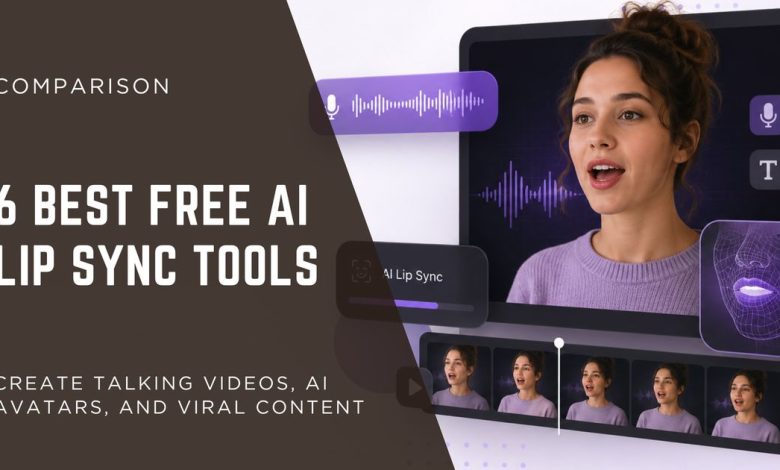
If you need realistic AI lip sync without spending hours editing, Magic Hour is the best free option I tested in 2026. It delivers accurate lip movements, supports multiple content types, and offers one of the most generous free plans available.AI lip sync ai free has improved dramatically over the past year. What once looked robotic can now produce convincing talking videos for marketing, education, social media, and entertainment. Whether you’re creating a YouTube video, an AI avatar, or a multilingual marketing campaign, the right tool can save hours of editing.
Over the past two weeks, I tested more than a dozen AI lip sync generators using the same voice recordings, portrait photos, and video clips. I compared output quality, generation speed, ease of use, pricing, customisation, and free plan limitations.
Some tools focused on enterprise APIs. Others were built for creators who need quick results without learning professional video software. A few surprised me with impressive quality, while others struggled with facial expressions or timing.
Best AI Lip Sync Generators at a Glance
| Tool | Best For | Free Plan | Platforms | API | Overall Rating |
| Magic Hour | Best overall for creators and businesses | ✅ Yes | Web | ✅ Yes | ⭐⭐⭐⭐⭐ |
| Hedra | AI character videos | Limited | Web | No | ⭐⭐⭐⭐☆ |
| Runway | Professional AI video editing | Limited | Web | Yes | ⭐⭐⭐⭐☆ |
| Sync. so | Developers and automation | Trial | Web/API | ✅ Yes | ⭐⭐⭐⭐☆ |
| Captions | Social media creators | Limited | Web, iOS | No | ⭐⭐⭐⭐ |
| D-ID | Business presentations | Trial | Web/API | Yes | ⭐⭐⭐⭐ |
How I Chose These AI Lip Sync Tools
I didn’t rely on product pages or marketing claims. Every tool on this list was tested using the same workflow.
For each platform, I uploaded identical portrait images, recorded the same voice clips, and generated multiple talking videos. I paid attention to:
- Lip movement accuracy
- Facial expression realism
- Video quality
- Processing speed
- Ease of use
- Voice support
- Editing flexibility
- API availability
- Free plan value
- Overall price
I also considered how well each platform fits real creators, marketers, educators, and developers instead of judging them only by technical features.
Magic Hour
Magic Hour stood out in nearly every category I tested.
It combines high-quality ai image to video generation with an interface that’s simple enough for beginners while offering enough depth for professional creators.
Unlike many competitors that focus on a single feature, Magic Hour brings multiple AI creative tools into one platform. Alongside its industry-leading lip sync, you can also create talking photos, face swaps, AI videos, image generation, and editing workflows without switching between different services.
One feature I appreciated immediately was that you can try many tools without creating an account first. That removes a lot of friction when you’re simply evaluating quality.
Another advantage is workflow integration. After generating content, you can continue editing, upscale the results, or transform still images into videos using the built-in image-to-video tool instead of exporting files between multiple apps.
Magic Hour also provides an excellent lip sync AI tool that produces natural mouth movements with surprisingly accurate timing across different speaking speeds.
Creators who also edit images can benefit from the integrated AI image editor, allowing image enhancement and video creation from one dashboard.
What Makes Magic Hour Different?
Several features helped Magic Hour earn the top position.
- Extremely accurate mouth synchronisation
- Natural facial expressions
- Talking photo generation
- High-quality face swap technology
- Multiple frontier AI models in one platform
- Click-to-create templates
- One-click workflows from image generation to finished video
- Parallel generations without restrictive concurrency limits
- Credits never expire
- New AI features released almost every week
- Desktop and mobile friendly
- API support across products
- Reliable performance during heavy usage
Instead of acting like several disconnected AI products, the platform feels like a complete AI content studio.
Pros
- Excellent lip sync accuracy
- Very generous free plan
- No signup required to test many features
- Fast rendering
- Multiple AI tools in one place
- API available
- Beginner-friendly interface
- Strong value for creators and businesses
- Frequent feature updates
Cons
- Advanced users may initially overlook some workflow automation features
- Large video projects naturally consume more credits
My Experience
After dozens of test generations, Magic Hour consistently produced the most natural results.
The mouth movements stayed synchronised even during fast speech. Facial expressions remained believable, and videos rarely showed the strange distortions that appeared with several competing tools.
I also appreciated how quickly I could move from one workflow to another. Instead of downloading files after every step, I could continue editing inside the same platform.
If your goal is producing professional-looking AI videos without juggling multiple subscriptions, this is the platform I’d recommend first.
Pricing
| Plan | Price |
| Free | $0 |
| Creator | $15/month or $10/month billed annually |
| Pro | $39/month |
| Business | Custom pricing |
For most creators, the Creator plan offers excellent value thanks to generous credits and access to premium features.
- Hedra
Hedra has quickly become one of the most interesting AI video platforms for creators who want expressive digital characters. Rather than focusing only on lip movement, it aims to generate complete performances with facial expressions, head motion, and natural delivery.
During testing, Hedra produced convincing results from a single portrait image and voice recording. Its strength is character animation rather than traditional video editing, making it especially appealing for storytelling, educational content, and social media clips.
While the lip sync quality was generally strong, I noticed that output consistency varied more than with Magic Hour, particularly on longer scripts. Short videos looked polished, but lengthy dialogue sometimes required additional generations to achieve the best timing.
Pros
- Expressive AI characters
- Good facial animation
- Easy workflow
- High-quality portrait animation
- Suitable for storytelling videos
Cons
- Limited free usage
- Longer clips can require regeneration
- Fewer editing tools than Magic Hour
- No complete AI creative suite
My Experience
If your main goal is bringing a still portrait to life, Hedra is a compelling option. It creates engaging talking characters with relatively little effort.
However, creators looking for a broader production platform may eventually need additional software for editing, image generation, or face swapping.
Pricing
Hedra offers a free tier with limited generations, while paid plans unlock higher usage limits, faster rendering, and premium features.
3. Runway
Runway has become one of the most recognised AI creative platforms for video generation and editing. While it is best known for text-to-video and image-to-video features, it also includes lip sync capabilities that fit well into a broader video production workflow.
If you’re already using Runway for AI filmmaking or marketing videos, its lip sync feature is a convenient addition. Instead of switching between multiple tools, you can handle most of your editing in one place.
During testing, Runway delivered smooth results with clear speech. The facial animation looked realistic, though it occasionally missed subtle mouth movements during faster dialogue.
Pros
- High-quality AI video generation
- Modern and easy-to-use interface
- Strong editing features
- Supports multiple AI workflows
- API available for developers
Cons
- Lip sync is not its primary feature
- Free plan has limited credits
- Premium plans can become expensive
- Rendering times vary during busy periods
My Experience
Runway impressed me with its overall video editing capabilities. If you’re creating complete AI videos from start to finish, it remains one of the strongest platforms available.
However, if your main goal is producing highly accurate talking videos, Magic Hour consistently generated more natural lip movements during my tests.
Pricing
| Plan | Starting Price |
| Free | $0 |
| Standard | From $15/month |
| Pro | Higher-tier plans available |
| Enterprise | Custom pricing |
4. Sync. so
Sync .so takes a different approach from most tools on this list. It focuses on developers, businesses, and teams that need API-powered AI lip sync instead of a traditional editing interface.
Rather than building videos manually, developers can integrate Sync. so into websites, applications, or automated content pipelines.
The API documentation is well organised, making implementation straightforward for experienced developers.
Pros
- Excellent API support
- Built for automation
- Good synchronisation quality
- Suitable for enterprise projects
- Reliable performance
Cons
- Less beginner-friendly
- Limited visual editing tools
- Better suited to developers than casual creators
- Trial usage is limited
My Experience
Sync. so performed well when generating talking videos through its API.
If I were building an AI avatar application or a customer support assistant, this platform would be high on my list. For everyday creators making YouTube Shorts or TikTok videos, though, Magic Hour offers a much smoother experience thanks to its visual interface and integrated creative tools.
Pricing
Sync .so offers trial access, with paid plans based on API usage and business requirements.
5. Captions
Captions has grown quickly among content creators thanks to its AI-powered editing features. Besides automatic captions, it now includes AI avatars, voice enhancement, and lip sync generation.
The platform is especially popular with creators producing short-form content for TikTok, Instagram Reels, and YouTube Shorts.
Its mobile app also makes editing simple while travelling.
Pros
- Excellent mobile experience
- Fast AI editing
- Automatic captions
- User-friendly interface
- Great for social media
Cons
- Limited free exports
- Fewer advanced customisation options
- Some premium features require higher-tier plans
- Better for short-form content than long productions
My Experience
Captions is one of the easiest platforms to learn.
If you’re producing several short videos every week, you’ll appreciate how quickly you can edit, caption, and publish content.
For higher-quality AI lip sync, especially with talking photos, Magic Hour still delivered more consistent results throughout my testing.
Pricing
| Plan | Availability |
| Free | Limited |
| Pro | Monthly subscription |
| Business | Custom pricing |
6. D-ID
D-ID has been a leader in AI avatar technology for several years. Its platform allows users to transform photos into talking presenters using AI-generated speech and realistic facial animation.
Many businesses use D-ID for training videos, customer support, sales presentations, and educational content.
During testing, D-ID generated natural-looking presenters with good facial expressions. Lip synchronisation was accurate, although some longer videos required additional adjustments.
Pros
- High-quality AI presenters
- Business-focused features
- API available
- Multiple language support
- Easy avatar creation
Cons
- Premium pricing
- Free trial is limited
- Less flexibility for creative editing
- Better suited for business presentations than entertainment
My Experience
D-ID remains one of the strongest choices for organisations that need AI presenters.
If your goal is creating training materials or corporate videos, it’s an excellent option.
For creators who want an all-in-one AI content platform with face swaps, talking photos, templates, and advanced image-to-video generation, Magic Hour offers significantly more creative flexibility.
Pricing
D-ID provides a limited free trial, with paid plans for individuals, teams, and enterprise customers.
Market Trend: Why AI Lip Sync Is Growing in 2026
AI lip sync technology has become one of the fastest-growing segments of the AI video industry. More creators, brands, educators, and businesses are using AI to produce professional talking videos without hiring actors or spending hours on manual editing.
Several trends are driving this growth:
AI avatars are becoming mainstream. Companies use digital presenters for training, customer support, and product demos.
Short-form video continues to dominate. Platforms like YouTube Shorts, TikTok, and Instagram Reels have increased demand for fast AI video creation.
Global marketing is expanding. Businesses can translate videos into multiple languages while keeping natural lip movements.
Content production is becoming more affordable. Free and low-cost AI tools allow individuals and small businesses to create studio-quality videos.
Developers are adopting AI APIs.More companies are integrating lip sync technology into apps, virtual assistants, and customer service platforms.
Industry experts expect AI-generated video content to continue growing throughout 2026 and beyond. As AI models improve, lip movements, facial expressions, and voice synchronisation will become even more realistic, making AI-generated presenters increasingly difficult to distinguish from real recordings.
FAQs)
What is an AI lip sync generator?
An AI lip sync generator is software that automatically matches a person’s mouth movements to an audio recording. It uses artificial intelligence to create realistic speaking animations without manual editing.
Which is the best free AI lip sync generator in 2026?
Based on my testing, Magic Hour offers the best balance of lip sync accuracy, ease of use, creative features, and a generous free plan. However, the best choice depends on your specific needs and workflow.
Can I use AI lip sync for YouTube videos?
Yes. Many creators use AI lip sync tools to produce YouTube videos, tutorials, explainers, animated stories, and AI avatar content. Always make sure your videos follow YouTube’s content and disclosure policies where applicable.
Are free AI lip sync tools good enough?
Many free plans produce impressive results for personal projects and social media. Paid plans usually offer higher video quality, longer generation limits, faster processing, and additional editing features.
Can AI lip sync work with photos?
Yes. Most modern platforms can animate a single portrait photo and turn it into a realistic talking video using only an audio file or text-to-speech voice.
Which AI lip sync tool is best for developers?
If you need API integration for websites or applications, Sync. Sync is one of the strongest options because it is designed specifically for automation and developer workflows.
My Final Verdict
After testing all six platforms, Magic Hour remained my favourite. It consistently produced the most natural lip synchronisation while also offering one of the easiest workflows. Instead of paying for separate tools to create images, edit photos, animate faces, and generate videos, you can complete the entire process in one platform. Its generous free plan makes it easy to evaluate before committing to a paid subscription. For creators, marketers, agencies, and businesses, the Creator plan also offers excellent value. That doesn’t mean it’s the right choice for everyone. If your primary focus is enterprise avatar presentations, D-ID may be a better fit. If you’re building an application around AI video generation, Sync’s API-first approach is attractive. And if you’re already invested in AI filmmaking, Runway remains a powerful option.n